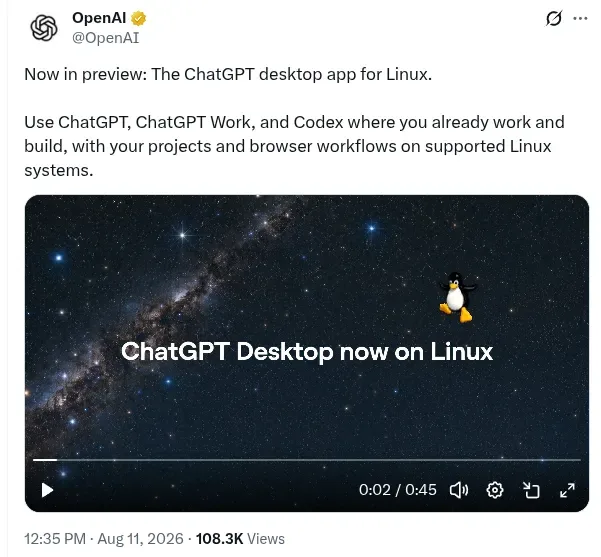
OpenAI officially launched a preview version of the ChatGPT desktop app for Linux on August 11, 2026, making the platform available on one of its most requested desktop operating systems, an OpenAI spokesperson said [1, 2]. The app combines ChatGPT, ChatGPT Work, and Codex coding tools into a single application for Linux users [3, 4, 1, 2, 5].
The preview supports major Linux distributions including Ubuntu 24.04 LTS and 26.04 LTS, Debian 13, and Fedora 43 and 44. Packages are offered in .deb and .rpm formats for both x64 and ARM64 architectures, covering a wide range of hardware [4, 1, 2, 5].
The new Linux app offers features similar to the MacOS and Windows ChatGPT desktop apps, including an in-app browser and Chrome extension support [2, 5]. It also introduces a visual workspace designed to help Linux users manage projects, track long-running tasks, coordinate code changes, and handle local and cloud workflows [2, 5].
However, the Linux version currently does not support OpenAI’s native Computer Use features such as controlling desktop applications like OpenOffice or GIMP, Appshots, and voice commands outside of the browser environment [2, 5]. Some users have reported a Japanese input method issue on Fedora KDE Plasma Wayland, which can be resolved by launching ChatGPT using a specific Wayland IME flag (--enable-wayland-ime) [3].
Prior to this release, Linux users primarily accessed OpenAI’s code tools through Codex command-line interfaces, IDE extensions, or cloud services rather than a unified desktop app [2, 5]. About one month before OpenAI’s launch, competitor Anthropic released its Claude desktop app for Linux, supporting Ubuntu 22.04 and Debian 12 or later [1, 5].
A third-party unofficial Linux port of ChatGPT has since implemented the missing Computer Use feature, though this is not available in OpenAI’s official app [5].
OpenAI described the launch as extending ChatGPT and Codex availability across every major desktop operating system, reflecting its expanded Linux support [1].